

Learn how to ask the right questions to find the best 3D printer for your needs.
Contents:
- Introduction
- Analysis of your 3D printing requirements
- Selection of appropriate material
- Determining software requirements
- Additional hardware requirements
- Request for information
1. Introduction
How As 3D printing technology evolves, the quality of what can be achieved with desktop 3D printer is starting to compete with much more expensive industrial ones machines, while the range of materials is expanding all the time.
Everything more companies are considering purchasing FDM (FFF – Fused Filament Fabrication) 3D printer as an important addition to production processes. The technology is ideal for applications such as visual and functional prototypes, custom production molds, aids in production and consumable parts.
How do I choose the right 3D printer?
If If you're new to 3D printing, the choices on the market can be overwhelming at first the ball. Different manufacturers offer printers of various sizes, maintenance contracts, material compatibility and software at a wide range of prices.
Maybe you already have some experience with 3D printers, or you already have one at home. And in that case, the 3D printer for the working environment should meet more rigorous requirements, such as noise level and safety, as well as the requirements for the technical specification and production parameters that you need.
When we draw the line, for your business a 3D printer must be safe, reliable and with optimal cost produces useful parts within your needs.
This guide covers everything you should know before buying an FDM printer. You will learn which are the most important features that you should consider in order to make the best decision with as little hassle as possible.
Finally, you'll find an overview of the questions you should ask when deciding which 3D printer best suits your needs. You can download this blank template and send it to suppliers.
2. Analysis of your 3D printing requirements
Before you get into the process of choosing hardware, you should consider how much of the things you're producing can be made on your new 3D printer.
Will you be producing prototypes or models? Should the model be visually appealing or functional? Do you need to print production runs? If you have this information available, you can make a decision based on the following requirements.
Working volume
Colic will be the largest model size you will print? Every 3D printer has the maximum working volume in which it can work. It determines which are the largest models that the device can create. For example, the Ultimaker S5 has a desktop 330x240mm and a working height of 300mm.
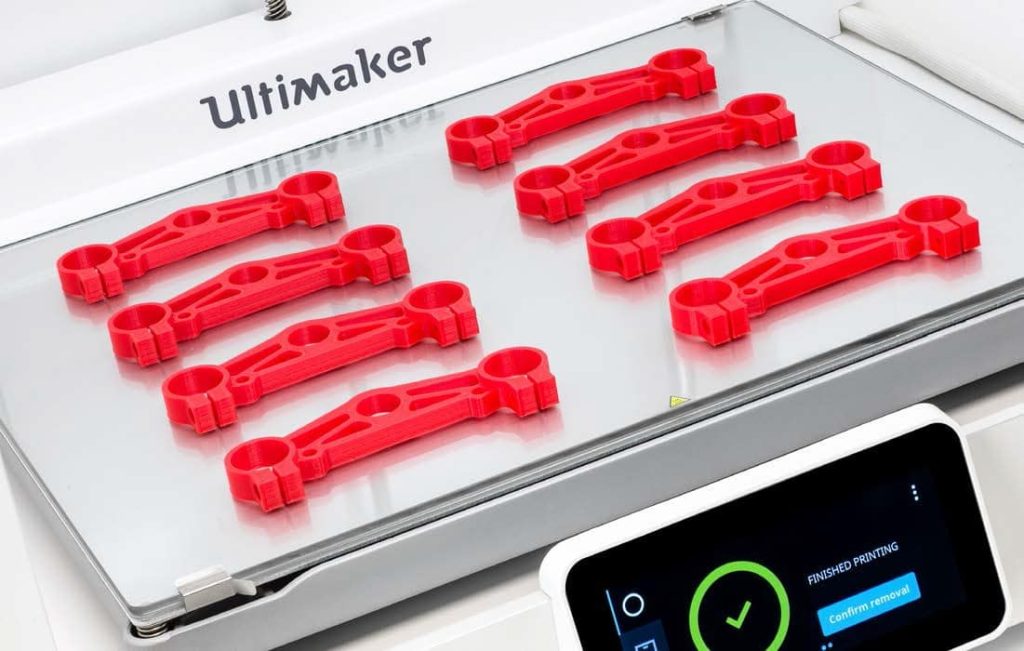
3D a printer capable of producing large models with high precision standards and reliability usually requires a larger investment. But it will save you money on longer distances compared to using the services of subcontractors.
More one advantage of a large desktop printer is that you can produce several pieces at once. This allows you to produce larger volumes that you will significantly save time compared to setting up the device and removing the model individually.
Print quality and speed
Quality of the press has a great influence on the speed of the press. Model making with precise details of 100 microns will last longer than with only 300 microns.
Because of of the nature of the work of the FDM 3D printer, which builds layer by layer, the thickness of that layer determines the fineness of the surface of the model. Similar to screen resolution: Higher pixels on the screen (layers in print) the more details you will see.
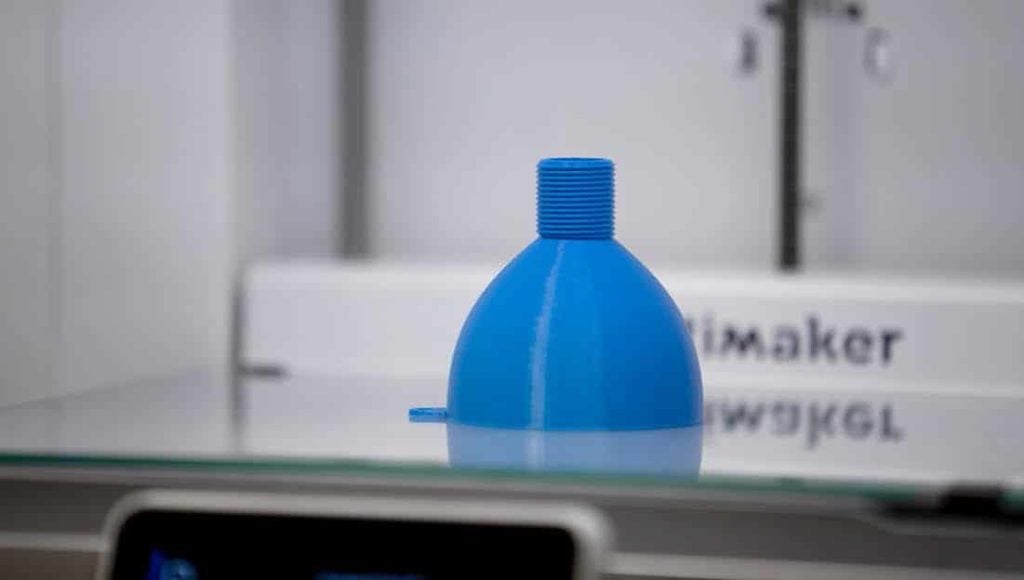
What the larger the layer, the more pronounced the "step" will be on the rounded surfaces of the model and thus its less finesse. To determine how fine a printer can perform, check the specs for layer resolution or minimum layer height. What is higher resolution, i.e. the smaller the layer thickness, the more the printer can produce details.
Typical the thickness of the layer in FDM 3D printers ranges between 20 and 600 microns. Lower a layer thickness of 20 microns means that your printer can be used for more specific applications, such as making molds for parts.
Have it keep in mind that not all models require the best quality. Just to check fit or dimensions of the prototype, faster printer operation is preferred. When you adjust the model during prepress in software such as for example Ultimaker Cura, you can adjust layer thickness and speed.
Print with multiple materials
No can all FDM 3D printers have the same capabilities when it comes to printing s more materials or production of complex geometry. That's because they don't all FDM printers the same number of dies.
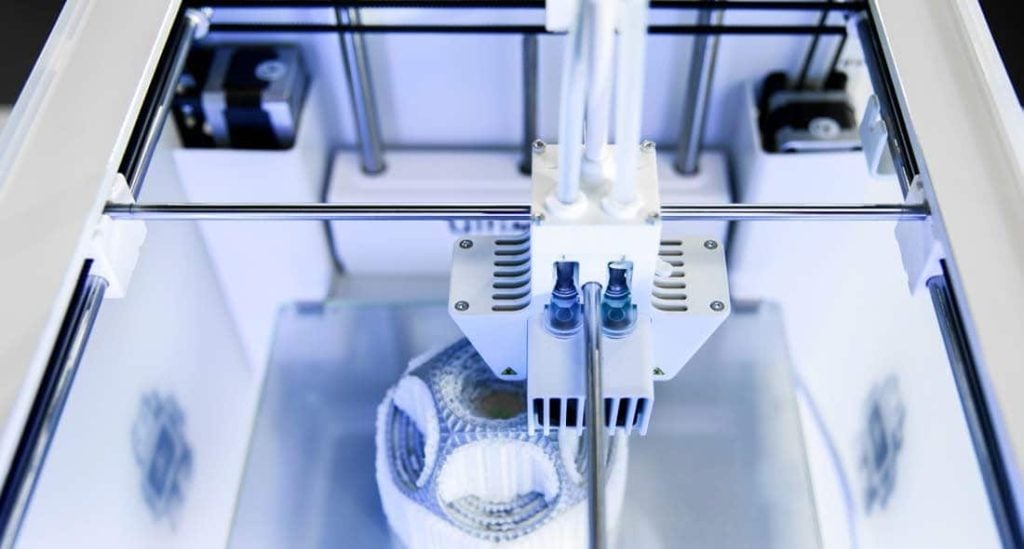
The majority printer has only one nozzle and can work with only one material (or color) at the same time. This is called "Single extrusion". However, if you want to use two colors or two materials at the same time, a device with "Dual extrusion" (Dual extrusion) or "Multi extrusion".
Dual extrusion gives you a big advantage by allowing you to use a special support material. A 3D printer cannot print parts in the air, so if the model has any overhangs or cantilevers, support is required. Printing support from PVA (polyvinyl alcohol) material allows you to create extremely complex parts and is easy to remove as it dissolves in water and can be safely removed down a conventional drain.
Yes to work effectively and reliably with PVA material, a separate nozzle is required than the one used to build the model, so make sure that the 3D printer that you take has this option. The Ultimaker 3D printer uses quick-change blades that allows you to change nozzles in seconds if you want a working setup with PVA material.
Chapter summary
Important questions you should consider:
- What is the minimum working volume necessary for your part size?
- What is the necessary print quality?
- 400 – 600 micron layer thickness = less detail, higher speed
- 200 – 400 micron layer thickness = mediocre detail, mediocre speed
- 20 – 200 micron layer thickness = high level of detail, lower speed
- Do I need a dual extrusion printer?
- Does the printer work reliably with PVA material?
3. Selection of appropriate material
Although FDM materials for 3D printers (filaments) cost only a few cents per gram, it is important to know which material will match the characteristics of which model you want to create.
Most often the material used for FDM 3D printers is plastic based on corn starch called PLA. This is a great material for basic crafting, especially visuals prototypes. Sometimes it is necessary that the material has certain mechanical properties such as flexibility, strength or heat resistance.
That's why that for successful printing, different materials require different 3D capabilities printer, such as nozzle temperature, desktop temperature or extra strong components, not all printers are able to meet these requirements.
In the Materials and Properties table, we have summarized the properties of some of the common 3D printing materials, all of which can be used on Ultimaker 3D printers.
| TAB. 1. Materials and properties | |
| MATERIAL | PROPERTIES |
| PLA (polylactic acid) |
Excellent finish and level of detail. The mechanical properties are not suitable for some functional applications. |
| ABS (acrylonitrile butadiene styrene) |
Strong, stretchy, wear-resistant and heat-tolerant material. |
| Nylon (polyamides) |
Strong and flexible, with good resistance to chemicals, impact and abrasion. |
| CPE (copolyester) |
Durable and flexible material with a shimmer finish and good impact and heat resistance. |
| PC (polycarbonate) |
Strong and solid material resistant to temperatures up to 110˚C. |
| TPU (thermoplastic polyurethane) |
Flexible material for parts with rubber properties. Good impact and abrasion resistance. |
| PP (polypropylene) |
Durable material with high resistance and resistance to material fatigue, which keeps its shape after torsion, bending or bending. |
| PVA (polyvinyl alcohol) |
A water-soluble material used to make supports when 3D printing overhangs and cantilevers that dissolves in water. |
Open filament system
One thing you should pay attention to when choosing a 3D printer is that not all printers are compatible with all materials. Some printer brands are restricted to use only that brand's materials while some printers can only work with one or two materials.
Ultimaker materials are all tested and optimized to work well with Ultimaker printers. However, Ultimaker printers have an open filament system, which it means that you can work on it with filaments from other manufacturers.
Some brands will restrict you to only working with their materials, you should check with the seller.
Chapter summary
Important questions you should consider:
- What properties are required for my 3D printed model?
- What materials are needed for my project?
- Will my models need support?
- What color material do I need?
- Which 3D printers are compatible with these materials?
4. Determination of software requirements
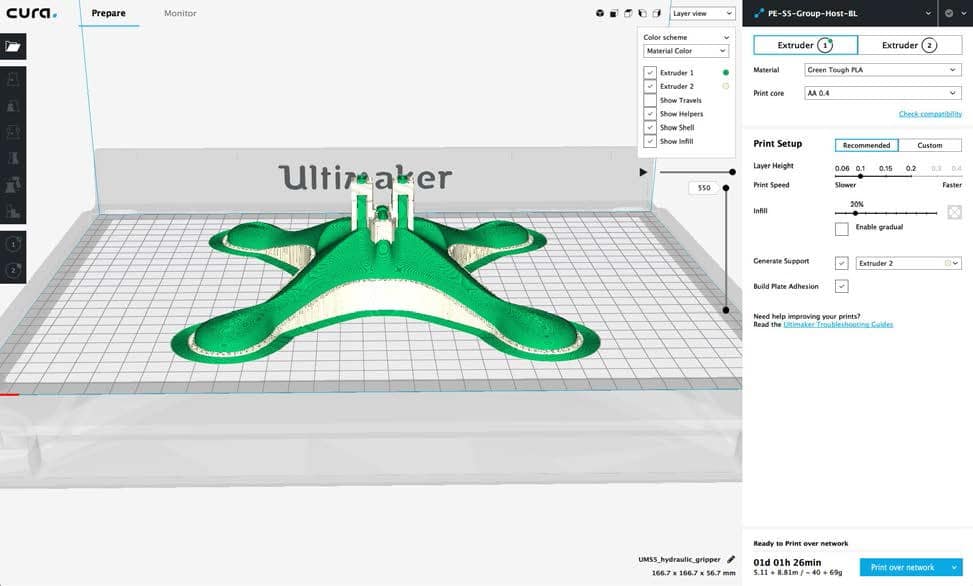
Yes you need additional software to work with a 3D printer. Once you are provided a 3D model, either by designing in CAD software or by 3D scanning, it is necessary to prepare the model for 3D printing.
This is done with the help of prepress software, slicing software (Slicing software). This software converts your 3D model into layers and sends it to print in a format that the 3D printer understands. Some software is tied to a specific one brand while others, such as the Ultimaker Cura, are open to using more 3D printer brands.
This software should be intuitive and easy to use. Software with basic material profiles and your 3D printer should make it easy to get started. This means that you don't have to calibrate your device and enter a lot of data (For example, what temperature the fan and work surface should reach). As you become more experienced with your printer, it will be important to you that the software allows you to fine-tune the print settings.
Management of the printing process
Your chosen software should give you insight into the printing process at all times. Some 3D printers only provide information on the built-in display, which means you have to go to the device to check the build status.
It is very important that any error is detected as early as possible in order for the production process to run as smoothly as possible. Information about the production flow should also be available from remote locations through software or a mobile application. Some printers have a built-in camera so you can check the operation of your device from a greater distance.
Chapter summary
Important questions you should consider:
- What software comes with the printer?
- Are additional licenses required for multiple users?
- What software 3D model formats are supported?
- Do preconfigured media and printer profiles come with the software?
- Can custom profiles be made?
- What advanced settings can be changed?
- Can the printing process be monitored outside the location where the 3D printer is located?
5. Additional hardware requirements
At the beginning of this guide, we discussed the features of a 3D printer needed to make certain types of parts. However, there are other pieces of hardware that you should consider that affect the quality of the printed parts and the way your device performs.
Open or semi-closed printer
In FDM 3D printers, the plastic material is melted and deposited in thin layers on top of each other. This technique is sensitive to temperature, and when the temperature in the printer drops suddenly, deformation of the model called "warping" can occur. To limit this, choose a closed or semi-closed sided printer. This will reduce heat loss and reduce temperature changes. With printers without side pages, deformation of the model occurs more often during production.
Type of work surface (Build plate)
You should also consider the work surface, the surface where the first layer is glued. Not all materials have the same adhesion to all types of substrates, which is why it is good to choose a 3D printer that has the option of replacing the work table or applying foils to the work surface that help the adhesion of certain materials. To determine this, check the compatibility of the material with the printer. Interchangeable work tables are much easier to maintain, which is important for good adhesion.
Positioning the 3D printer
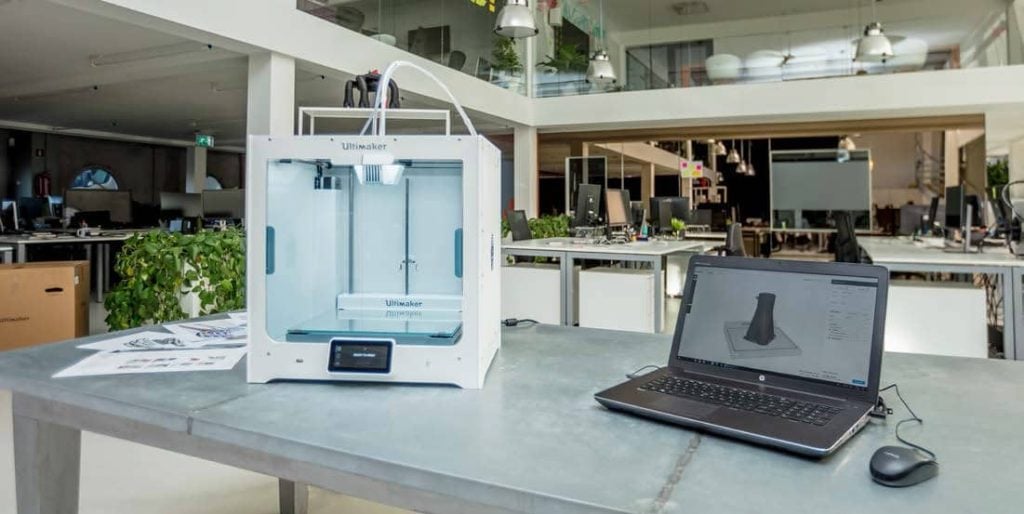
Where planning to install the device? FDM is a clean and safe technology that does not requires protective clothing or other precautions beyond ordinary office or workshop ventilation. Look for precise instructions on ventilation information in the material safety document.
However, the device's sound and design may make it less suitable for the office environment. The sound during the operation of the printer above 60 decibels is not recommended for this type environment.
Unsupervised use
When you want to build larger models, or if you want to maximize time availability of the 3D printer for work, you will have to leave it running even when it is not working time.
Therefore, it is important to check whether the device comes with a safety declaration. This document should highlight the security standards and tests performed on the printer. For example, Ultimaker provides a "Declaration of Safe Professional Unsupervised Use" for Ultimaker S5 models. Ultimaker 3 and Ultimaker 2+ printers.
Connection
3D printers support different connections through which the model is sent to print, operate the printer or supervise the production. In addition to Ethernet and USB connections, the latest generation of printers also supports WiFi, facilitating work from different stations.
Chapter summary
Important questions you should consider:
- Is the printer open, semi-closed or closed?
- What kind of work table (Build plate) does the device come with?
- Is a 3D printer suitable for an office environment?
- What level of noise does it produce in operation?
- What types of connections does it support?
6. Actual available 3D printer capacity and support
When you need to rely on a 3D printer in your business, the maximum availability of production devices and the actual available capacity are very important metrics. Any breakdown and maintenance means the device is not available for work and this has negative effects on business operations.
Because of therefore, high quality and fast local support are very important. Local distributor can provide you with training, periodic maintenance and quick solutions in case malfunctions.
At there are many different brands and printers on the market. It is important to choose manufacturer that has a support network that covers your location and has a large experience in the production of 3D printers. This ensures continuity, as is continuous development of software and firmware and availability of spare parts on loan deadline.
Chapter summary
Important questions you should consider:
- What is the reputation of the 3D printer brand?
- In which regions is the manufacturer active?
- Does the manufacturer have a global network with a distributor in my area?
- Does the distributor offer on-site training? What are the additional costs?
- Does the brand have an active online community?
- Does the dealer offer a maintenance contract? What are the additional costs?
- What is meant by maintenance?
- Can I do basic maintenance myself, such as print head cleaning and calibration?
- Is the printer only compatible with that manufacturer's materials, or can it also use third-party materials?
- Are case studies from other users available?
7. Request for information
Questions compiled in this questionnaire are intended for you to explore options and discuss with different suppliers. This way you can compare 3D printers and make your short list of choices? You can also ask your distributor to send it to you sample as part of your selection process.
Once you have narrowed down your choices, you can use the tables below to get all the information from the distributor or create a form and ask them to fill out.
U example, which you can see below, we filled out a form with data for Ultimaker devices. You can download the blank questionnaire from the link in the previous paragraph.
Then you can compare the main features of 3D printers and make your final decision.
User specifications required:
Minimal required working volume (eg: 150x150x150mm):
| • Required print quality (eg: 50 microns) | |
| • Need dual extrusion? | YES/NO |
| • Is an additional nozzle required for PVA? | YES/NO |
| • Is it necessary to heat the worktop? | YES/NO |
| • The 3D printer should be compatible with the following materials: |
Questions for distributors:
| Printer | Ultimaker printers |
| Brand printer and type | Ultimaker, FDM 3D printer |
| Price | Ultimaker 2+: from €2,128.7 Ultimaker 3: from €3,311.3 Ultimaker S5: From €6,140.0 Prices are without VAT |
| Software | Ultimaker software |
| Which one software comes with the device? (Supported OS) | Ultimaker Cura (MacOS, Windows and Linux) |
| Are they Need additional software licenses? | no, Ultimaker Cura is free software |
| What formats 3D models are supported? | STL, OBJ, X3D, 3MF |
| Can I to create press profiles? | Yes, custom settings can be saved for easy future use. |
| Which one settings can be changed? | It exists over 300 editable settings including materials, fill, support, cooling and more. |
| Hardware | Ultimaker hardware |
| Is it 3D printer open, semi-closed or closed? | Semi-closed with working chamber closed on 4 sides |
| Which one What types of desks are available? | Glass |
| When should device maintenance be done? | monthly, quarterly and annually (see ultimaker.com ) |
| Can I to do maintenance on my own, such as cleaning the print head and calibration? | Yes |
| Which one safety documentation provided by the manufacturer? | Information on safety in the instructions for use, plus the EC declaration of conformity, VPAT certificate, CB certificate, Declaration of safe unattended use the material safety document (see ultimaker.com ) |
| Working space | Ultimaker workspace |
| Is it device suitable for use in the office? | Yes |
| Which one is it device noise level? | Up to 50dBA |
| Which one protocols are available for data transfer? (Eg: WiFi, Ethernet, USB) | Wi-Fi, LAN, USB for Ultimaker S5 and Ultimaker 3, SD card for Ultimaker 2+ |
| How are you can oversee the manufacturing process? Can it be remote ? | Ultimaker Network-enabled 3D printers offer monitoring via Cura Connect and the Ultimaker App (including live feed via camera) |
| Manufacturer | Ultimaker |
| How much How long has the manufacturer been on the market? | Since 2011 year. |
| Do the manufacturer has a global network with service partners in this geographic area areas? | Ultimaker has a global network of distributors and service providers (see ultimaker.com ) |
| Do distributors conduct training at the customer's premises? What are the additional costs? | yes, ask your local Ultimaker dealer for details. |
| Do Does the brand have an active online community? | Yes, with over 40,000 members ready to share their knowledge and best practices. |
| Do does the dealer give the option of a maintenance contract? What are the additional costs? | Contracts on maintenance are not mandatory for Ultimaker partners. Ask your local distributor for information. |
| Is it 3D printer compatible only with materials of that brand or can be use third party materials too? | Ultimaker offers a range of materials optimized for its devices, but they can materials from other manufacturers can also be used. |
Are you planning to get a 3D printer but can't decide?
Call or stop by 3D Republic to try together to find the right solution for you.